


jns.org
4.415.00 Reviews
App Specs
- Version
- 2.1.7
- Updated On
- License
- Free
- Downloads
- 10,000+
- Developer
- JNS.org
- Categories
- News & Magazines
- Platform
- Android
Screenshots


 Analysis by AppCompare
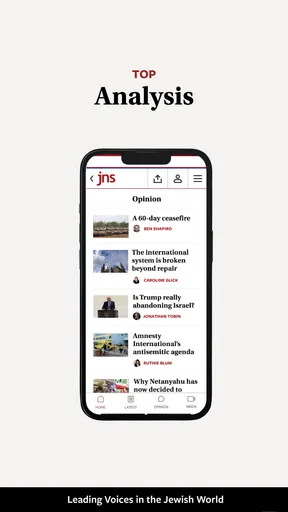
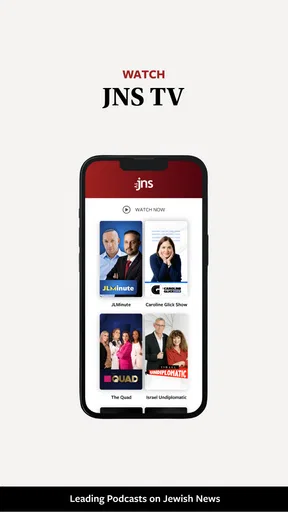
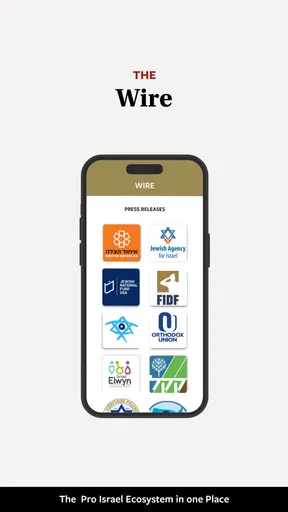
When I want a focused way to keep up with news connected to Israel and Jewish communities around the world, I prefer an app that gives that subject its full attention instead of making me search through a general news feed. That is the main reason I found jns.org useful. It is a free News & Magazines app from JNS.org, built around the publication’s Israel and Jewish-world coverage rather than a broad mixture of unrelated headlines.
My experience with it is best described as focused rather than all-purpose. I would not install it expecting a replacement for every news source on my phone. I would install it when I want a dedicated place to check this particular area of current affairs, read relevant stories in one context, and avoid the distraction of a general-purpose news application. That narrow purpose is also the app’s most important strength and its clearest limitation.
Focused coverage makes the app useful
The central capability here is simple but meaningful: the app puts Israel news and Jewish-world reporting at the center of the reading experience. In practice, that changes how I use it. Instead of opening a general news app and hoping its algorithm gives enough attention to a subject I care about, I can open this one with a more specific expectation.
That focus is particularly helpful for readers who follow Israel-related developments, Jewish communities, public affairs, culture, or international stories through that lens. The app’s identity is not hidden behind a broad entertainment feed or a large collection of unrelated sections. Its purpose is immediately clear, which makes it easier to decide whether it belongs in my regular reading routine.
I also appreciate that the developer, JNS.org, is visible as part of the product’s identity. For a news app, knowing who is behind the publication matters because readers are not only choosing an interface; they are choosing an editorial source. I still recommend comparing important stories with other reputable outlets, but the clear connection between the app and its publisher makes the experience more direct than an anonymous news aggregator.
The app has an average rating of 4.4 from around 78 ratings, a modest but encouraging response from its current audience. It has passed 10K installs, so it is established enough to have a real user base without feeling like a huge mainstream platform. I read those figures as signs of a specialized publication app with a defined audience, not as proof that it will suit every news reader.
Why a dedicated news source can be better than a general feed
General news applications are convenient, but convenience can work against depth. Their feeds often mix politics, business, sports, entertainment, local updates, and personalized recommendations. That is useful when I want a quick overview of everything, but less useful when I am following one subject closely. A dedicated app reduces the number of decisions I have to make before reading.
Worth Reading Before You Choose

EA SPORTS FC Mobile 26 Is a Bigger Football Game, but It Takes Time

Flipboard Shows What News Apps Must Do Beyond the Feed

Switching to Android Auto Means Rethinking Your Driving Routine

Google Calendar Makes a Crowded Week Easier to Manage

Ludo King Makes the Most of the Minutes Between Plans

Baby Panda World Brings Quick Play to Modern Phones, but Its Game Library Feels Busy
With this app, the trade-off is easy to understand: I gain relevance within its chosen subject area, while giving up the breadth of a large news platform. For me, that makes it a good companion app. I can use a broad news service for the wider world and open this one when I want reporting centered on Israel and Jewish communities. Trying to make one app perform both roles would be less comfortable.
Another advantage is mental separation. When I open a general feed, a major headline from one area can push a story from another area out of view within minutes. A focused publication app gives a subject its own space. That does not automatically make every article more valuable, but it makes the reading habit more intentional.
How I would use it during a normal day
A realistic routine would be checking the app during a morning commute or a short break, then returning later when I have more time to read. In the first session, I would scan the available headlines and identify which stories deserve attention. In the second, I would open the most relevant articles and read them without trying to process the entire news cycle at once.
This two-stage approach is more useful than treating the app like a constant alarm. News changes quickly, but not every update deserves immediate attention. I find that a focused source works best when I use it deliberately: first to orient myself, then to understand the stories that matter to me. Readers who want an endless stream of unrelated breaking news may find this approach too narrow.
One practical tip is to use the app as a starting point for research rather than the only source for a sensitive or fast-moving story. After reading an article, I would compare the central facts with another established outlet, especially when the subject involves political claims, conflict, or disputed events. That is not a criticism unique to this app; it is a sensible habit with any publication-centered news service.
What the focused approach feels like in practice
The app is most valuable when the subject itself is the reason I am opening it. I do not have to reshape a general feed through repeated searches or subscriptions before finding material relevant to Israel and the Jewish world. The dedicated editorial direction gives the app a clear role on my phone, and that clarity is more important than a long list of unrelated tools.
At the same time, a focused app asks me to accept the publisher’s selection and presentation of stories. That is the natural consequence of using a publication app instead of a neutral headline aggregator. I get a coherent editorial destination, but not the feeling that I am seeing every possible perspective in one place. Readers who value a cross-source comparison above all else may prefer a news reader that combines many publishers.
I would also keep expectations realistic about the difference between an app and a complete news workflow. A dedicated reading app can make discovery easier, but it does not remove the need to judge sources, check context, and distinguish analysis from confirmed reporting. Its value is in bringing a particular coverage area within easy reach, not in making those decisions for me.
A useful workflow for careful readers
My preferred workflow would be to begin with the app’s most relevant story, note the key people, places, and claims, and then look for independent confirmation when the issue is important. I would save the broader interpretation for a second reading rather than forming an opinion from a headline alone. This is especially useful with emotionally charged subjects, where a short headline can leave out the background needed to understand what happened.
A second tip is to separate routine reading from urgent monitoring. If I am simply trying to stay informed, I can check the app at chosen times and avoid letting every new item interrupt the day. If I am following a developing situation closely, I should treat the app as one part of a wider information routine and verify updates across multiple sources. The app’s narrow focus makes it convenient for the first step, but it should not encourage overconfidence in a single viewpoint.
A third useful distinction is between relevance and completeness. A story can be highly relevant to my interests while still representing only one part of a larger event. This app helps with relevance by keeping the subject area in front of me. I still need another source when I want a broader international, local, or economic picture.
The best scenario for installing it
The strongest use case is a reader who regularly follows Israel and Jewish-world news and wants a dedicated destination instead of relying on searches or a crowded general feed. For that person, the app can become a simple checkpoint: open it, review the coverage, read what matters, and return later when necessary.
It also makes sense for someone whose interest is occasional but specific. During a period when Israel-related events or Jewish community issues are especially important to me, I would rather have a focused source ready than repeatedly rebuild a search in a general app. Once that period passes, I can decide whether the app still earns a place in my daily routine.
The free price lowers the barrier to trying it. I can evaluate the reading experience without making a financial commitment, which is useful for a specialized publication app. The content rating is Everyone, so the app is presented for a broad audience, although the seriousness of news topics means parents and younger readers should still use ordinary judgment about what is being discussed.
Where the app may not be the right choice
I would skip it as my main news app if I want local weather, sports scores, entertainment, financial markets, or a balanced collection of international publishers in the same place. Its value comes from concentration, so someone who wants a single universal dashboard may find the experience incomplete.
I would also hesitate if my main priority is comparing many editorial viewpoints side by side. A multi-source reader is better suited to that task because it makes contrast the central feature. Here, the stronger reason to install is the convenience of accessing JNS.org’s particular coverage focus, not the promise of a neutral news marketplace.
Another limitation is that a specialized app can become repetitive for readers whose interest is only occasional. If I rarely look for Israel or Jewish-world coverage, a browser bookmark or a general news service may be enough. The dedicated app earns its place when the subject is important often enough to justify a separate reading habit.
Version, compatibility, and everyday practicality
The current version is 2.1.7, and the app supports devices running Android 7.0 or later. That gives it a relatively broad compatibility range for Android users, including people who are not using a recent phone. I would still check that my device runs smoothly before making it part of a daily routine, particularly if I use an older handset or keep many news apps installed.
Because it is free and aimed at general news reading, the practical question is less about cost and more about whether its focused editorial role matches my habits. I would install it, read several stories over a few days, and ask myself whether I am opening it because the coverage is genuinely useful or merely because I am collecting another news shortcut. That small trial is more revealing than the install count or rating alone.
The app’s release date is April 1, 2025, so I see it as a relatively recent mobile option rather than a long-established utility that has been part of my phone for years. That makes it worth checking periodically for improvements as the app develops. The current version indicates active product work, but I would judge updates by whether they improve reading comfort and reliability rather than by version numbers themselves.
Who benefits most from this app
The best match is a reader who wants a dedicated Israel and Jewish-world news habit. That includes people who follow the subject for personal, cultural, professional, academic, or community reasons. It can also suit readers who are tired of searching through broad feeds and want a more direct route to relevant coverage.
It is less suitable for someone who wants every major world story in one place, a purely local news service, or a tool designed mainly for comparing sources. Those readers would probably be happier with a general news aggregator, a local publication app, or a broader international outlet. This app works when its specialization is an advantage, not when specialization feels like a missing feature.
I would particularly recommend it to a friend who already follows JNS.org and wants a more convenient mobile entry point. The app keeps that publisher’s subject area close at hand and avoids the friction of starting from a blank search each time. I would tell that friend to keep a second trusted source nearby for cross-checking major claims, because focused access and complete perspective are not the same thing.
My final assessment
After using it as a focused news destination, I see jns.org as a practical companion for readers who specifically want Israel and Jewish-world coverage. Its main capability is also its defining trade-off: it gives this subject more attention than a general feed, but it does not try to replace a broad news ecosystem.
I like the clarity of its purpose, the free entry point, and the fact that JNS.org is directly associated with the experience. I also appreciate that I can give this area of news its own place in my routine instead of relying on an algorithm to surface it. The limitations are equally clear: readers seeking wide coverage, multiple publishers, or a complete daily news dashboard should look elsewhere or use this alongside another app.
For my own use, I would keep it when Israel and Jewish-world reporting is a regular priority. I would not use it as my only source, and I would not recommend it to someone who rarely reads this subject. Used for what it is designed to do, it offers a focused and accessible way to follow a specific news community without the clutter of a general-purpose feed.
Pros
- Trusted source for Jewish news
- culture
- and community information
- Covers Israel
- world events
- and Jewish-interest topics in one place
- Articles are generally detailed and provide useful background context
- Includes content from a recognized Jewish news organization
- Helpful for readers seeking a Jewish perspective on current affairs
Cons
- Some articles may reflect an editorial viewpoint rather than neutral reporting
- Coverage can focus heavily on Israel-related news and Jewish community issues
- Certain content may require a subscription or member access
- The website layout can feel dense when browsing on smaller screens
- Publishing frequency and topic balance may vary across different sections
FAQs for jns.org
What is jns.org, and what can I use it for?
jns.org is the online platform associated with the Journal of Neurosurgery and its related publications. It provides access to peer-reviewed neurosurgical research, clinical studies, technical notes, reviews, and educational material. The website is mainly intended for neurosurgeons, medical professionals, researchers, students, and readers seeking reliable information about neurological and neurosurgical topics.
Can I read all articles on jns.org for free?
Access depends on the individual article and the user’s subscription status. Some content may be available as open access, while other articles can require a personal subscription, institutional access, or a one-time purchase. Before downloading or relying on a paper, check the article page for its access label, abstract availability, full-text options, and any applicable payment or login requirements.
Does jns.org offer a mobile app for Android or iOS?
jns.org is primarily a web-based publication platform, so users generally access it through a mobile browser rather than a dedicated application. The site can usually be viewed on smartphones and tablets, although the experience may vary depending on screen size, browser, and connection quality. Be cautious with unofficial apps claiming to represent the journal.
Is the information on jns.org suitable for medical diagnosis or treatment decisions?
The content published on jns.org is intended for professional education, scientific communication, and research. It should not be treated as personalized medical advice, a diagnosis, or a substitute for consultation with a qualified healthcare professional. Patients and families should discuss any information found in journal articles with their doctor, especially before changing medication or treatment.
What types of content and features are available on jns.org?
The platform may include research articles, case reports, reviews, editorials, surgical techniques, supplementary materials, references, and information about the journal’s publications. Depending on the article and access level, readers may be able to view abstracts, download PDFs, search the archive, save or share links, and explore related citations. Some features can require registration or institutional access.


